sei - Save Env Inject
You don’t leave your front door open just because you’ll need to get back in tomorrow.
Manages environment secrets in GNOME Keyring instead of .env files. TUI for editing, CLI for injection.
Why?
.env files sit in the project directory — any tool with file access can read them:
- AI agents (Claude Code, Copilot) read project files for context analysis
- Security scanners with vulnerabilities (e.g. Trivy — secrets were exfiltrated)
- CI/CD pipelines and build tools scan the working directory
git add .accidentally commits secrets
sei stores secrets in GNOME Keyring — encrypted, protected by GUI prompt, invisible to file-based tools.
Architecture
Installation
Script (recommended)
curl -fsSL https://xi72yow.github.io/sei/install.sh | sudo bashThis adds the sei APT repository and installs the package. Updates come via apt upgrade.
Manual (build from source)
Requires Podman.
git clone https://github.com/xi72yow/sei.git
cd sei
./build.sh --install
Or build only and install separately:
./build.sh
sudo apt install --reinstall ./dist/sei_*.deb
Prerequisite
A running Secret Service daemon — GNOME Keyring (gnome-keyring-daemon), KeePassXC, or any other daemon implementing the freedesktop Secret Service API.
Usage
TUI
sei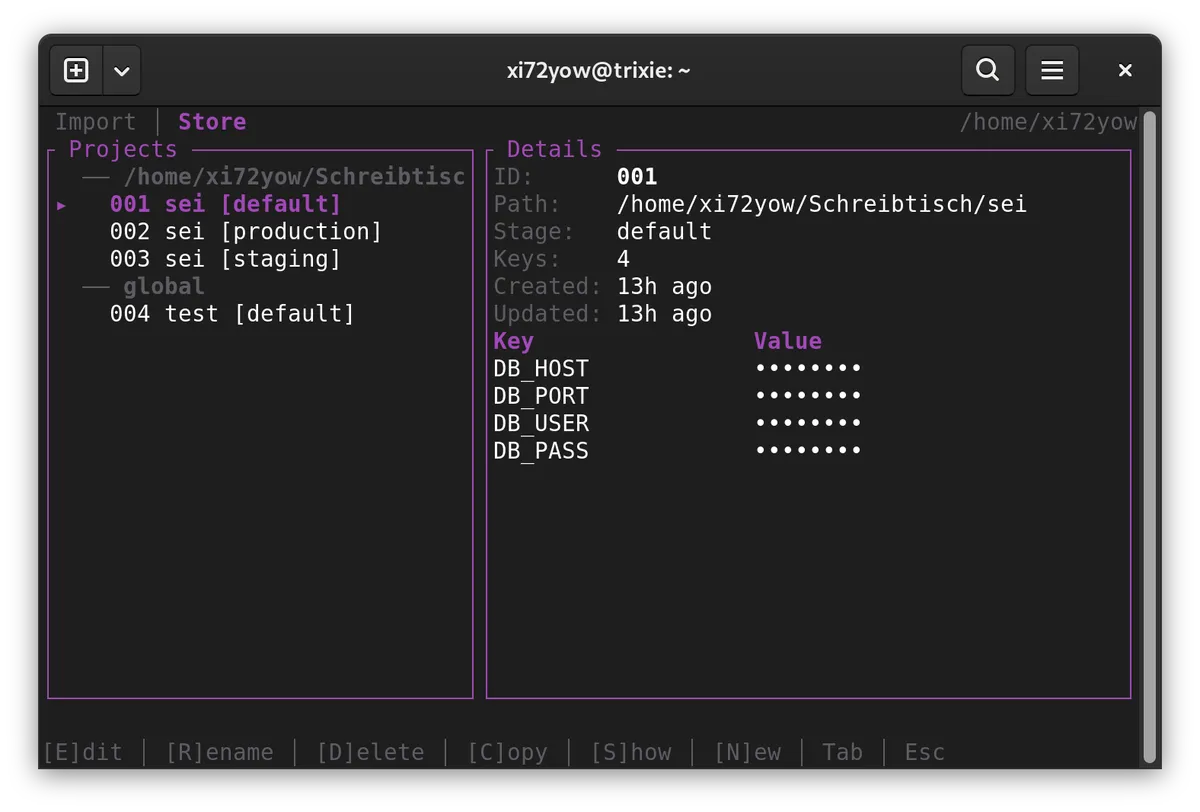
On startup, sei scans for .env* files in the current directory. If new or changed files are found, the Import tab opens automatically with a diff view. Stage names are derived from the file suffix (.env → default, .env.production → production).
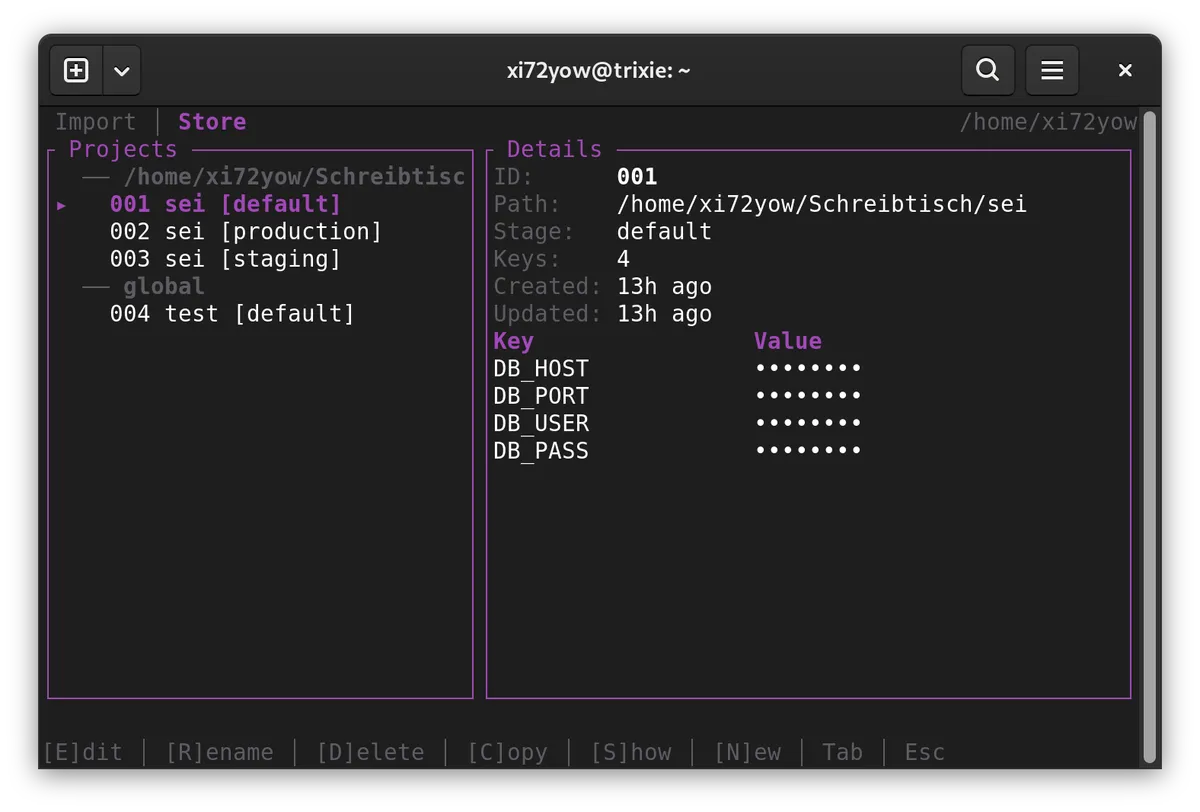
After import, the Store tab shows all keyring entries:
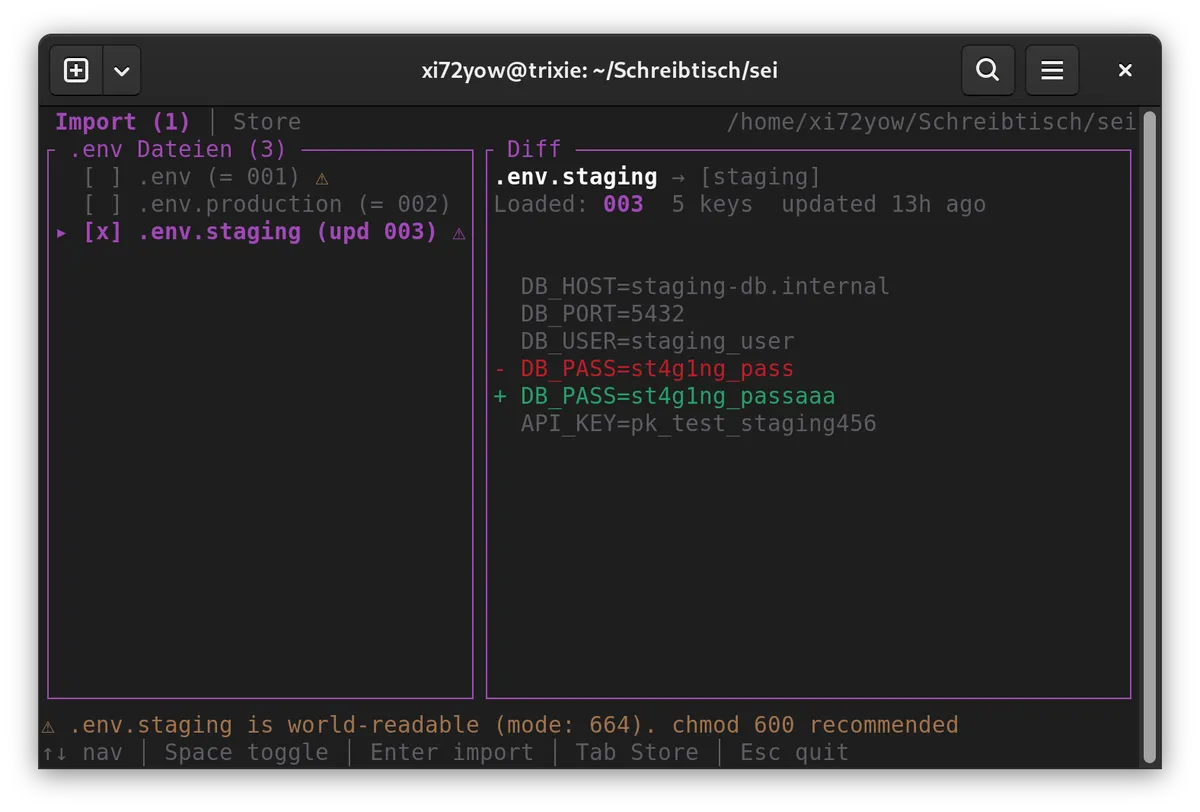
Each entry gets a 3-digit ID (001–999) for quick CLI access. Entries matching the current directory are highlighted. All keybindings are shown in the footer.
Running Commands
# Inline picker — choose entry interactively
sei node server.js

# By ID (skip picker)
sei 001 node server.js
sei 002 podman compose up -d

# By path + stage
sei run -s production -- node server.js
sei run -p ~/projects/api -s prod -- node server.js

# -- only needed when cmd starts with a flag
sei run --id 001 -- --some-flag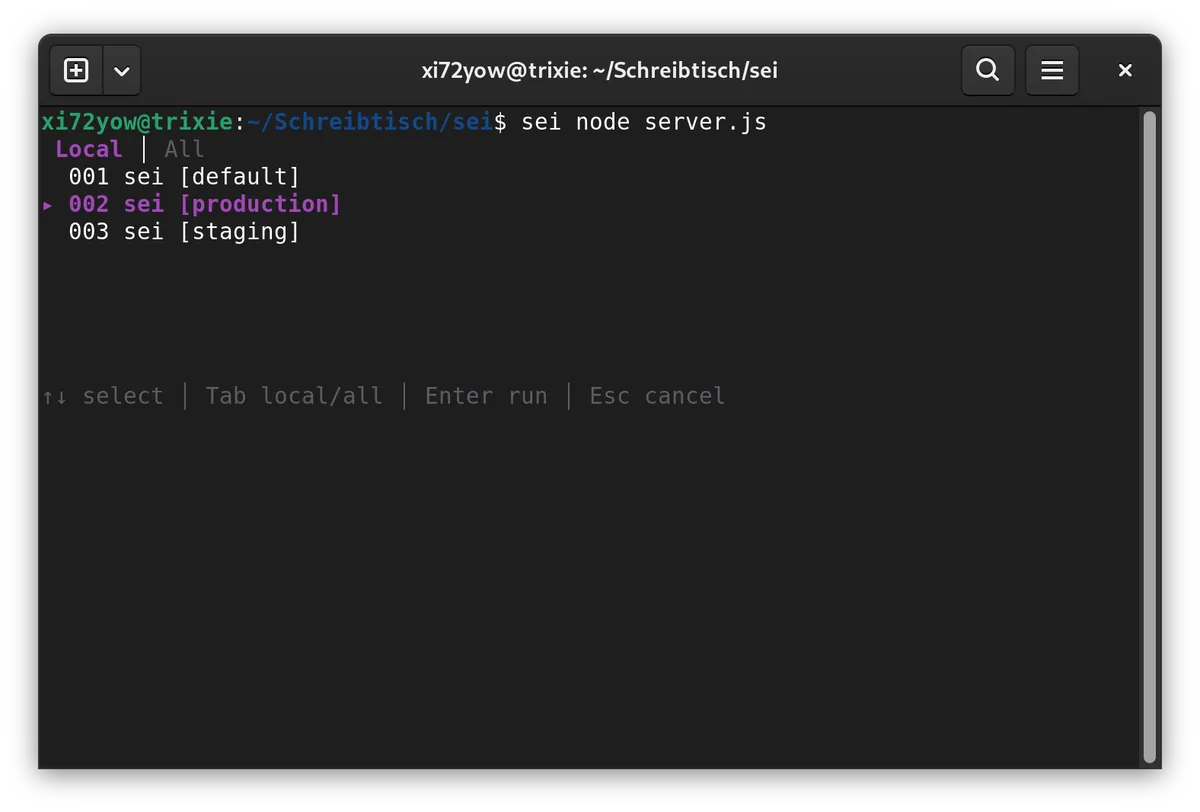
When no ID is given, sei shows an inline picker to select an entry before running the command. Entries matching the current directory are shown first.
Secrets are passed via environment inheritance — no temp files, no CLI arguments. The keyring is locked after loading.
Compose Integration
sei injects env vars into the process it spawns. For Compose, reference the variables in your compose.yml:
services:
  app:
    image: myapp
    environment:
      - DB_HOST        # value from host env (set by sei)
      - DB_PORT
      - API_KEY
sei 001 podman compose up -dSecurity Model
| Attack Vector | Without sei | With sei |
|---|---|---|
| AI agent reads project files | .env directly readable | No file present |
AI agent uses secret-tool | — | GUI prompt blocks terminal |
| Scanner exfiltrates secrets | .env is found | Nothing on disk |
git add . / git commit -a | .env gets committed | Nothing to commit |
| Shoulder surfing | .env open in editor | Values masked |
Process monitoring (ps) | — | Secrets not in CLI arguments |
| Root access / disk forensics | .env plaintext | Keyring encrypted |
Technical Details
- Language: Rust (no
unsafe) - TUI: ratatui + ratatui-textarea + crossterm
- Keyring: zbus (D-Bus, freedesktop Secret Service API, pure Rust)
- Collection:
sei-secrets(own collection, own password) - Metadata: 3-digit ID, created/updated timestamps per entry
- Async: tokio + futures-util
- CLI: clap (derive) + ID shorthand
- Build: Container-based via Podman
- Package:
.debfor amd64 (stripped, LTO)
License
Not yet licensed. All rights reserved.