input-remapper-rs
Remap input device events on kernel level (evdev/uinput). Works on Wayland and X11.
Rust rewrite of input-remapper, focusing on performance and simplicity. Compatible with existing input-remapper preset files.
Features
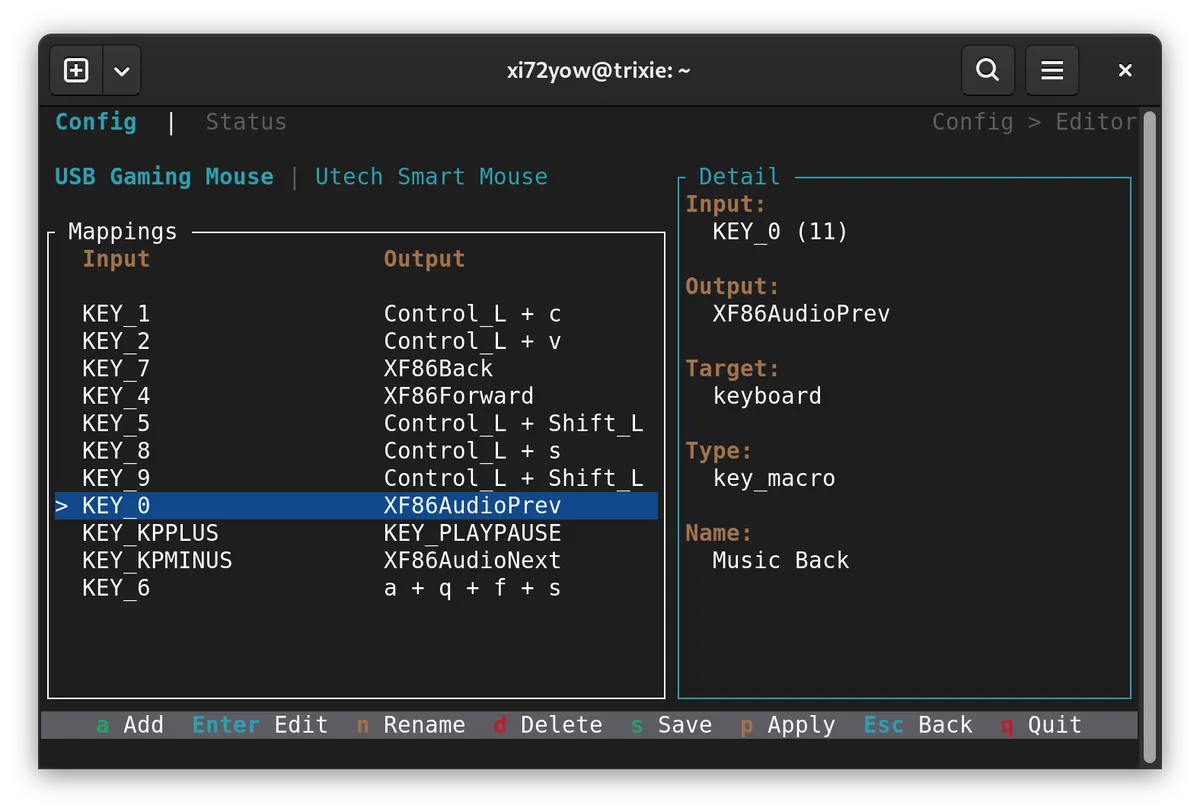
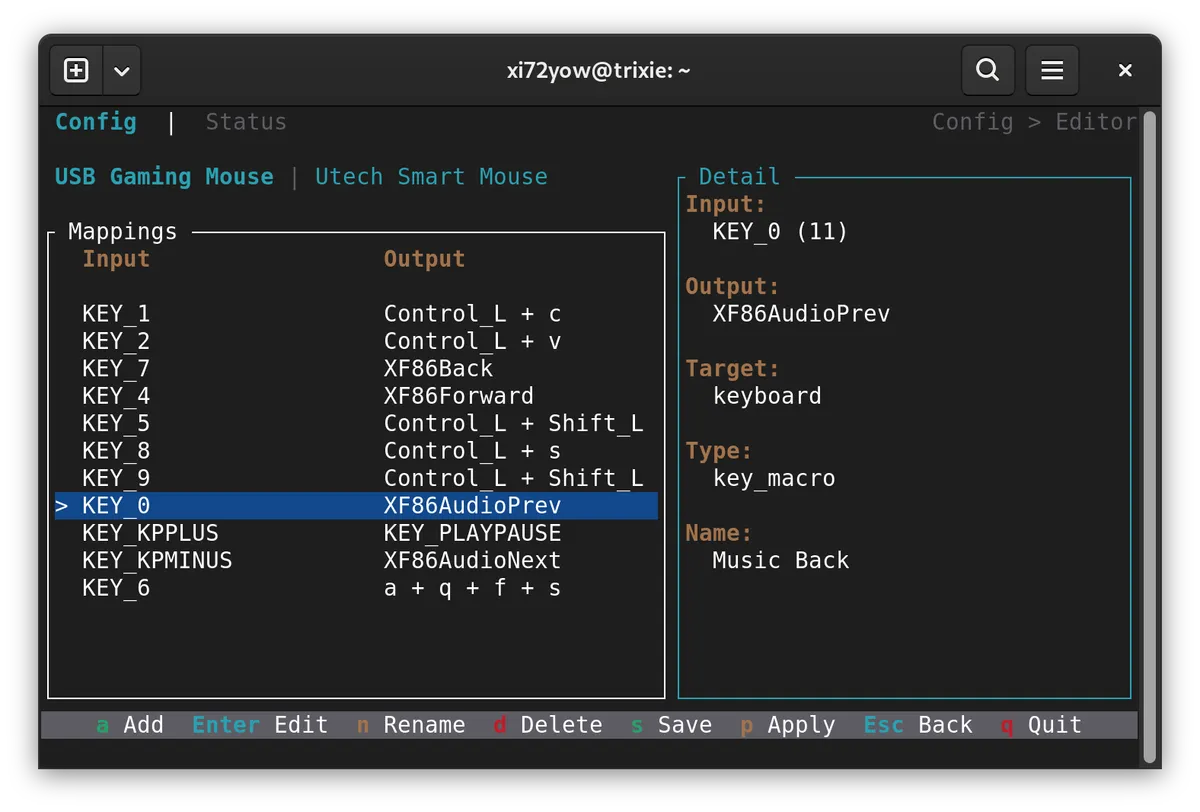
- Key-to-key and key-to-combination remapping (e.g. mouse button -> Ctrl+C)
- Multi-device support with simultaneous mapping
- Terminal UI (TUI) for interactive configuration
- Daemon with systemd service and autoload
- ~2MB static binary, microsecond-level latency
Install
APT Repository (recommended)
curl -fsSL https://xi72yow.github.io/input-remapper-rs/install.sh | sudo bashOr manually:
# Add GPG key
curl -fsSL https://xi72yow.github.io/input-remapper-rs/key.gpg | sudo gpg --dearmor -o /usr/share/keyrings/input-remapper-rs.gpg

# Add repository
echo "deb [arch=amd64 signed-by=/usr/share/keyrings/input-remapper-rs.gpg] https://xi72yow.github.io/input-remapper-rs stable main" \
  | sudo tee /etc/apt/sources.list.d/input-remapper-rs.list

# Install
sudo apt update && sudo apt install input-remapper-rs

# Enable and start the service
sudo systemctl enable --now input-remapper-rs
Manual .deb install
sudo dpkg -i input-remapper-rs_0.1.0-1_amd64.deb
sudo systemctl enable --now input-remapper-rs
Usage
Once the daemon is running via systemd, open the TUI to configure your devices:
sudo input-remapper-rs tuiThe TUI lets you:
- Browse and select input devices
- Create, edit, and delete presets
- Record input events to capture key/button codes
- Search and assign output symbols (keysyms)
- Apply presets and monitor injection status
Each mapped device gets its own virtual clone via uinput. Multiple devices can be mapped simultaneously.
Configuration
Config is stored in /etc/input-remapper-rs/:
/etc/input-remapper-rs/
  config.json          # autoload settings
  xmodmap.json         # symbol -> keycode map
  <Device Name>/
    <Preset>.json
Presets configured with autoload in config.json are automatically applied when the daemon starts:
{
    "version": "2.1.1",
    "autoload": {
        "USB Gaming Mouse": "My Preset"
    }
}
Use Cases
- MMO mice – Remap side buttons (e.g. Corsair Scimitar, UTechSmart) to keyboard shortcuts or macros
- Azeron keypads – Map analog stick and keys to custom key combinations for gaming or productivity
Development
No local Rust toolchain needed — everything runs in a Docker/Podman container.
Prerequisites
- Podman with compose support (or Docker)
sudoaccess (for deploying and systemd)
Setup
# Build the dev container (includes Rust, musl-tools, cargo-deb)
podman compose build dev
Build & Test
All builds target x86_64-unknown-linux-musl for a fully static binary.
# Debug build
podman compose run --rm dev cargo build --target x86_64-unknown-linux-musl

# Release build
podman compose run --rm dev cargo build --release --target x86_64-unknown-linux-musl

# Run tests (needs /dev/uinput, runs as root in container)
podman compose run --rm dev cargo test --target x86_64-unknown-linux-musl

# Build .deb package
podman compose run --rm dev cargo deb --target x86_64-unknown-linux-musl
Quick Dev Deploy
podman compose run --rm dev cp /app/target/x86_64-unknown-linux-musl/debug/input-remapper-rs /app/dist/
sudo systemctl stop input-remapper-rs
sudo cp dist/input-remapper-rs /usr/bin/
sudo systemctl start input-remapper-rs
License
GPL-3.0